
I Built a WinAmp-ish Mini Player for YouTube Music. Because of Course I Did.
A tiny always-on-top retro control panel for YouTube Music on macOS — menu bar app + Chromium extension, built to keep you in flow.

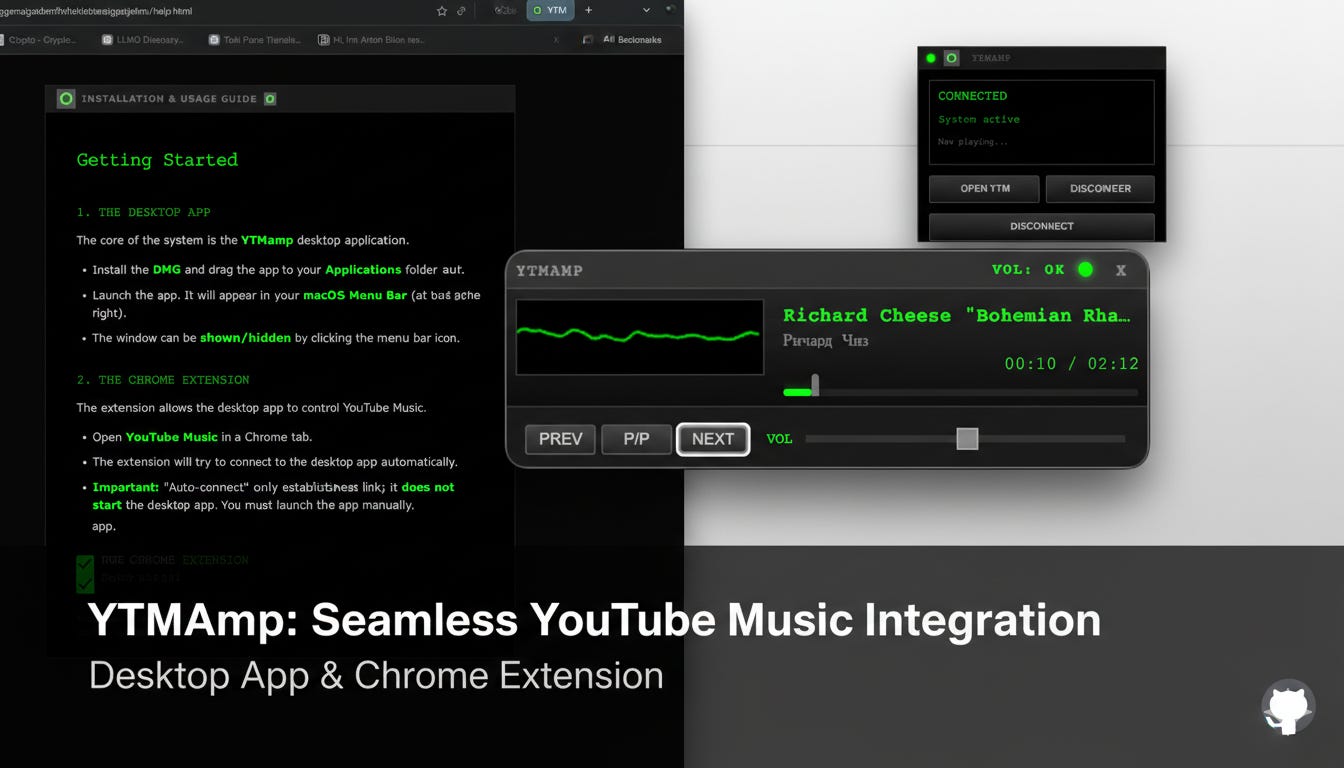
There are two kinds of people in this world.
The first kind opens YouTube Music, plays a track, and simply… enjoys life.
The second kind opens YouTube Music, sees the tab, sees the recommendations, sees the algorithm waving a bright neon sign that says “come waste 40 minutes”, and thinks:
“Right. I’m going to build a thing.”
I’m the second kind. Unfortunately.
The problem (aka: why my brain can’t have nice things)
YouTube Music is great. But it’s also a browser tab. And a browser tab is basically a casino with extra steps.
You switch tabs “just to skip a track” and five minutes later you’re reading comments under a video titled ‘I rebuilt my entire personality in Ableton’. That’s not music playback. That’s a detour into the wilderness.
What I wanted was simple:
Always-on-top controls.
No playlists. No browsing. No “discover weekly”.
Just play/pause, next/previous, volume, progress, and a little waveform to make it feel alive.
And ideally: retro vibes. Because if you’re going to over-engineer something, at least make it look cool.
So I built YTMamp.
What it is
YTMamp is a small macOS menu bar app paired with a Chromium extension (works with Chrome, Comet, Atlas, Brave, etc.). Together they let you control YouTube Music from a tiny floating mini player that sits above everything.
Think of it as a little cockpit. For your music. While you work. Without leaving your work.
The app:
runs in the menu bar,
shows a compact always-on-top player window,
keeps UI minimal and fixed-size.
The extension:
talks to the YouTube Music tab,
grabs track info,
sends play/pause/next/previous/seek/volume commands,
can hide the native YouTube mini player (because we’re not running a zoo here).
What it does (the “features” bit, but in human)
Play/Pause, Next, Previous — like any sane music player should.
Volume — properly controlled, not the “drag it and it teleports” kind.
Seek bar — click and jump around the track, because sometimes intros are… optimistic.
Now playing — title/artist, clean and readable.
Waveform/oscilloscope — real-time when the browser cooperates, and a fallback mode when it doesn’t (because browsers love “security” more than they love your fun).
Always on top — it stays visible while you’re working, so you don’t have to go tab-hunting.
And it does all that while being aggressively minimal: you log in to YouTube Music as usual, and the player simply becomes your control surface.
The important part: it’s not “WinAmp”
Let me be very clear: I’m not trying to cosplay as a legacy brand and get sued into the ground. The UI is inspired by that era, the same way a leather jacket is “inspired by” motorcycles.
This is retro-flavoured utility. Not brand theft.
Why bother?
Because “friction” is the silent killer of focus.
It’s not the big interruptions that ruin your day. It’s the tiny ones:
switching tabs,
hunting the right window,
losing context,
coming back slightly more annoyed than before.
If a small floating player means I stay in flow and keep writing/building, it pays for itself immediately.
And also because building weird little tools is… fun. The kind of fun that makes you forget you’ve been sitting in the same position for three hours, which is probably not medically advisable but here we are.
Get it / try it
If you’re on macOS, grab the latest release DMG, install, run the app, then load the extension (unpacked). The README covers the steps.
What’s next
Maybe nothing. Maybe everything.
I’ve learned the dangerous truth about tiny tools: once they work, your brain immediately starts a new list:
themes,
better visuals,
shortcuts,
polish,
“just one more improvement”.
But right now the point is: it works, it’s useful, and it’s public.
So if you try it and it makes your day slightly smoother, that’s the win.
If you need me, I’ll be the person building small ridiculous tools to avoid opening one very large distracting tab.